面向包页面的 npm 抓取 API
把 npm 包 URL 发给 Crawl 接口,拿回结构化 Markdown——README 加版本、License、周下载量和完整依赖列表。含作用域包和版本固定 URL。
接口 — bashPOST https://api.search1api.com/crawl{ "url": "https://www.npmjs.com/package/express" }
npmjs.com 网页在 Cloudflare 后面——所以适配器读 registry.npmjs.org,即 npm CLI 自己用的公开 API。
README 转 Markdown——版本、License、周下载量、依赖数进 metadata。
@org/name 的 URL 同样解析——package 字段保留 scope。
/v/<version> URL 返回那个确切版本——它的 README 和依赖 spec。
适用场景
依赖调研 / 包发现 / 供应链审查
输入什么,返回什么
三种 URL 形态:左边是 npm 实际返回页面的真实截图(素 fetch 会被挑战,所以经指纹伪装浏览器拍摄),右边是 API 返回的 results.content 全文。
npmjs.com/package/expressnpm 实际返回的页面
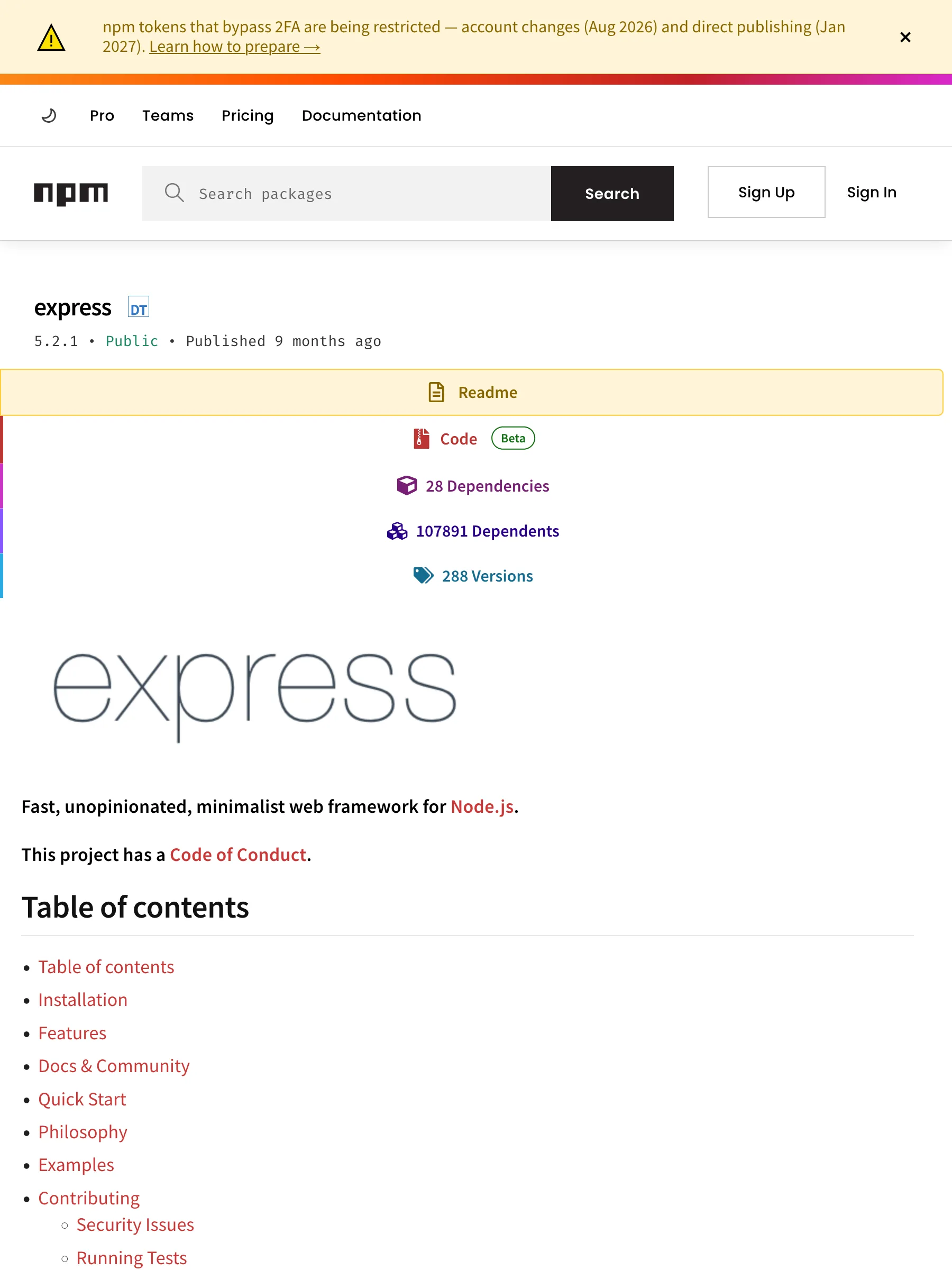
142 KB 渲染 HTML——readme 标签页、依赖数、版本历史
API 返回的数据
markdown# express@5.2.1Fast, unopinionated, minimalist web frameworkLicense: MIT · Weekly downloads: 97,784,379 · Homepage: https://expressjs.com/ · Repository: https://github.com/expressjs/express · Author: TJ Holowaychuk```npm install express```## Dependencies (28)- qs@^6.14.0- depd@^2.0.0- etag@^1.8.1- once@^1.4.0- send@^1.1.0- vary@^1.1.2- debug@^4.4.0- fresh@^2.0.0- cookie@^0.7.1- router@^2.2.0- accepts@^2.0.0- type-is@^2.0.1- parseurl@^1.3.3- statuses@^2.0.1- encodeurl@^2.0.0- mime-types@^3.0.0- proxy-addr@^2.0.7- body-parser@^2.2.1- escape-html@^1.0.3- http-errors@^2.0.0- on-finished@^2.4.1- content-type@^1.0.5- finalhandler@^2.1.0- range-parser@^1.2.1- serve-static@^2.2.0- cookie-signature@^1.2.1- merge-descriptors@^2.0.0- content-disposition@^1.0.0## README**Fast, unopinionated, minimalist web framework for [Node.js](https://nodejs.org).****This project has a [Code of Conduct].**## Table of contents- Table of contents- Installation- Features- Docs \& Community- Quick Start- Philosophy- Examples- Contributing- Security Issues- Running Tests- Current project team members- TC (Technical Committee)- TC emeriti members- Triagers- Emeritus Triagers- License[![NPM Version][npm-version-image]][npm-url][![NPM Downloads][npm-downloads-image]][npm-downloads-url][![Linux Build][github-actions-ci-image]][github-actions-ci-url][![Test Coverage][coveralls-image]][coveralls-url][![OpenSSF Scorecard Badge][ossf-scorecard-badge]][ossf-scorecard-visualizer]```jsimport express from 'express'const app = express()app.get('/', (req, res) => {res.send('Hello World')})app.listen(3000, () => {console.log('Server is running on http://localhost:3000')})```## InstallationThis is a [Node.js](https://nodejs.org/en/) module available through the[npm registry](https://www.npmjs.com/).Before installing, [download and install Node.js](https://nodejs.org/en/download/).Node.js 18 or higher is required.If this is a brand new project, make sure to create a `package.json` first withthe [`npm init` command](https://docs.npmjs.com/creating-a-package-json-file).Installation is done using the[`npm install` command](https://docs.npmjs.com/getting-started/installing-npm-packages-locally):```bashnpm install express```Follow [our installing guide](https://expressjs.com/en/starter/installing.html)for more information.## Features* Robust routing* Focus on high performance* Super-high test coverage* HTTP helpers (redirection, caching, etc)* View system supporting 14+ template engines* Content negotiation* Executable for generating applications quickly## Docs & Community* [Website and Documentation](https://expressjs.com/) - [[website repo](https://github.com/expressjs/expressjs.com)]* [GitHub Organization](https://github.com/expressjs) for Official Middleware & Modules* [Github Discussions](https://github.com/expressjs/discussions) for discussion on the development and usage of Express**PROTIP** Be sure to read the [migration guide to v5](https://expressjs.com/en/guide/migrating-5)## Quick StartThe quickest way to get started with express is to utilize the executable [`express(1)`](https://github.com/expressjs/generator) to generate an application as shown below:Install the executable. The executable's major version will match Express's:```bashnpm install -g express-generator@4```Create the app:```bashexpress /tmp/foo && cd /tmp/foo```Install dependencies:```bashnpm install```Start the server:```bashnpm start```View the website at: http://localhost:3000## PhilosophyThe Express philosophy is to provide small, robust tooling for HTTP servers, makingit a great solution for single page applications, websites, hybrids, or publicHTTP APIs.Express does not force you to use any specific ORM or template engine. With support for over14 template engines via [@ladjs/consolidate](https://github.com/ladjs/consolidate),you can quickly craft your perfect framework.## ExamplesTo view the examples, clone the Express repository:```bashgit clone https://github.com/expressjs/express.git --depth 1 && cd express```Then install the dependencies:```bashnpm install```Then run whichever example you want:```bashnode examples/content-negotiation```## ContributingThe Express.js project welcomes all constructive contributions. Contributions take many forms,from code for bug fixes and enhancements, to additions and fixes to documentation, additionaltests, triaging incoming pull requests and issues, and more!See the [Contributing Guide] for more technical details on contributing.### Security IssuesIf you discover a security vulnerability in Express, please see [Security Policies and Procedures](SECURITY.md).### Running TestsTo run the test suite, first install the dependencies:```bashnpm install```Then run `npm test`:```bashnpm test```## Current project team membersFor information about the governance of the express.js project, see [GOVERNANCE.md](https://github.com/expressjs/discussions/blob/HEAD/docs/GOVERNANCE.md).The original author of Express is [TJ Holowaychuk](https://github.com/tj)[List of all contributors](https://github.com/expressjs/express/graphs/contributors)### TC (Technical Committee)* [UlisesGascon](https://github.com/UlisesGascon) - **Ulises Gascón** (he/him)* [jonchurch](https://github.com/jonchurch) - **Jon Church*** [wesleytodd](https://github.com/wesleytodd) - **Wes Todd*** [LinusU](https://github.com/LinusU) - **Linus Unnebäck*** [blakeembrey](https://github.com/blakeembrey) - **Blake Embrey*** [sheplu](https://github.com/sheplu) - **Jean Burellier*** [crandmck](https://github.com/crandmck) - **Rand McKinney*** [ctcpip](https://github.com/ctcpip) - **Chris de Almeida**<details><summary>TC emeriti members</summary>#### TC emeriti members* [dougwilson](https://github.com/dougwilson) - **Douglas Wilson*** [hacksparrow](https://github.com/hacksparrow) - **Hage Yaapa*** [jonathanong](https://github.com/jonathanong) - **jongleberry*** [niftylettuce](https://github.com/niftylettuce) - **niftylettuce*** [troygoode](https://github.com/troygoode) - **Troy Goode**</details>### Triagers* [aravindvnair99](https://github.com/aravindvnair99) - **Aravind Nair*** [bjohansebas](https://github.com/bjohansebas) - **Sebastian Beltran*** [carpasse](https://github.com/carpasse) - **Carlos Serrano*** [CBID2](https://github.com/CBID2) - **Christine Belzie*** [UlisesGascon](https://github.com/UlisesGascon) - **Ulises Gascón** (he/him)* [IamLizu](https://github.com/IamLizu) - **S M Mahmudul Hasan** (he/him)* [Phillip9587](https://github.com/Phillip9587) - **Phillip Barta*** [efekrskl](https://github.com/efekrskl) - **Efe Karasakal**<details><summary>Triagers emeriti members</summary>#### Emeritus Triagers* [AuggieH](https://github.com/AuggieH) - **Auggie Hudak*** [G-Rath](https://github.com/G-Rath) - **Gareth Jones*** [MohammadXroid](https://github.com/MohammadXroid) - **Mohammad Ayashi*** [NawafSwe](https://github.com/NawafSwe) - **Nawaf Alsharqi*** [NotMoni](https://github.com/NotMoni) - **Moni*** [VigneshMurugan](https://github.com/VigneshMurugan) - **Vignesh Murugan*** [davidmashe](https://github.com/davidmashe) - **David Ashe*** [digitaIfabric](https://github.com/digitaIfabric) - **David*** [e-l-i-s-e](https://github.com/e-l-i-s-e) - **Elise Bonner*** [fed135](https://github.com/fed135) - **Frederic Charette*** [firmanJS](https://github.com/firmanJS) - **Firman Abdul Hakim*** [getspooky](https://github.com/getspooky) - **Yasser Ameur*** [ghinks](https://github.com/ghinks) - **Glenn*** [ghousemohamed](https://github.com/ghousemohamed) - **Ghouse Mohamed*** [gireeshpunathil](https://github.com/gireeshpunathil) - **Gireesh Punathil*** [jake32321](https://github.com/jake32321) - **Jake Reed*** [jonchurch](https://github.com/jonchurch) - **Jon Church*** [lekanikotun](https://github.com/lekanikotun) - **Troy Goode*** [marsonya](https://github.com/marsonya) - **Lekan Ikotun*** [mastermatt](https://github.com/mastermatt) - **Matt R. Wilson*** [maxakuru](https://github.com/maxakuru) - **Max Edell*** [mlrawlings](https://github.com/mlrawlings) - **Michael Rawlings*** [rodion-arr](https://github.com/rodion-arr) - **Rodion Abdurakhimov*** [sheplu](https://github.com/sheplu) - **Jean Burellier*** [tarunyadav1](https://github.com/tarunyadav1) - **Tarun yadav*** [tunniclm](https://github.com/tunniclm) - **Mike Tunnicliffe*** [enyoghasim](https://github.com/enyoghasim) - **David Enyoghasim*** [0ss](https://github.com/0ss) - **Salah*** [import-brain](https://github.com/import-brain) - **Eric Cheng** (he/him)* [dakshkhetan](https://github.com/dakshkhetan) - **Daksh Khetan** (he/him)* [lucasraziel](https://github.com/lucasraziel) - **Lucas Soares Do Rego*** [mertcanaltin](https://github.com/mertcanaltin) - **Mert Can Altin*** [dpopp07](https://github.com/dpopp07) - **Dustin Popp*** [Sushmeet](https://github.com/Sushmeet) - **Sushmeet Sunger*** [3imed-jaberi](https://github.com/3imed-jaberi) - **Imed Jaberi**</details>## License[MIT](LICENSE)[coveralls-image]: https://img.shields.io/coverallsCoverage/github/expressjs/express?branch=master[coveralls-url]: https://coveralls.io/r/expressjs/express?branch=master[github-actions-ci-image]: https://img.shields.io/github/actions/workflow/status/expressjs/express/ci.yml?branch=master&label=ci[github-actions-ci-url]: https://github.com/expressjs/express/actions/workflows/ci.yml[npm-downloads-image]: https://img.shields.io/npm/dm/express[npm-downloads-url]: https://npmcharts.com/compare/express?minimal=true[npm-url]: https://npmjs.org/package/express[npm-version-image]: https://img.shields.io/npm/v/express[ossf-scorecard-badge]: https://api.scorecard.dev/projects/github.com/expressjs/express/badge[ossf-scorecard-visualizer]: https://ossf.github.io/scorecard-visualizer/#/projects/github.com/expressjs/express[Code of Conduct]: https://github.com/expressjs/.github/blob/HEAD/CODE_OF_CONDUCT.md[Contributing Guide]: https://github.com/expressjs/.github/blob/HEAD/CONTRIBUTING.md
包卡片 + README — 10 KB · express@5.2.1 · 周下载 97.8M · 28 个依赖
npmjs.com/package/@modelcontextprotocol/sdknpm 实际返回的页面
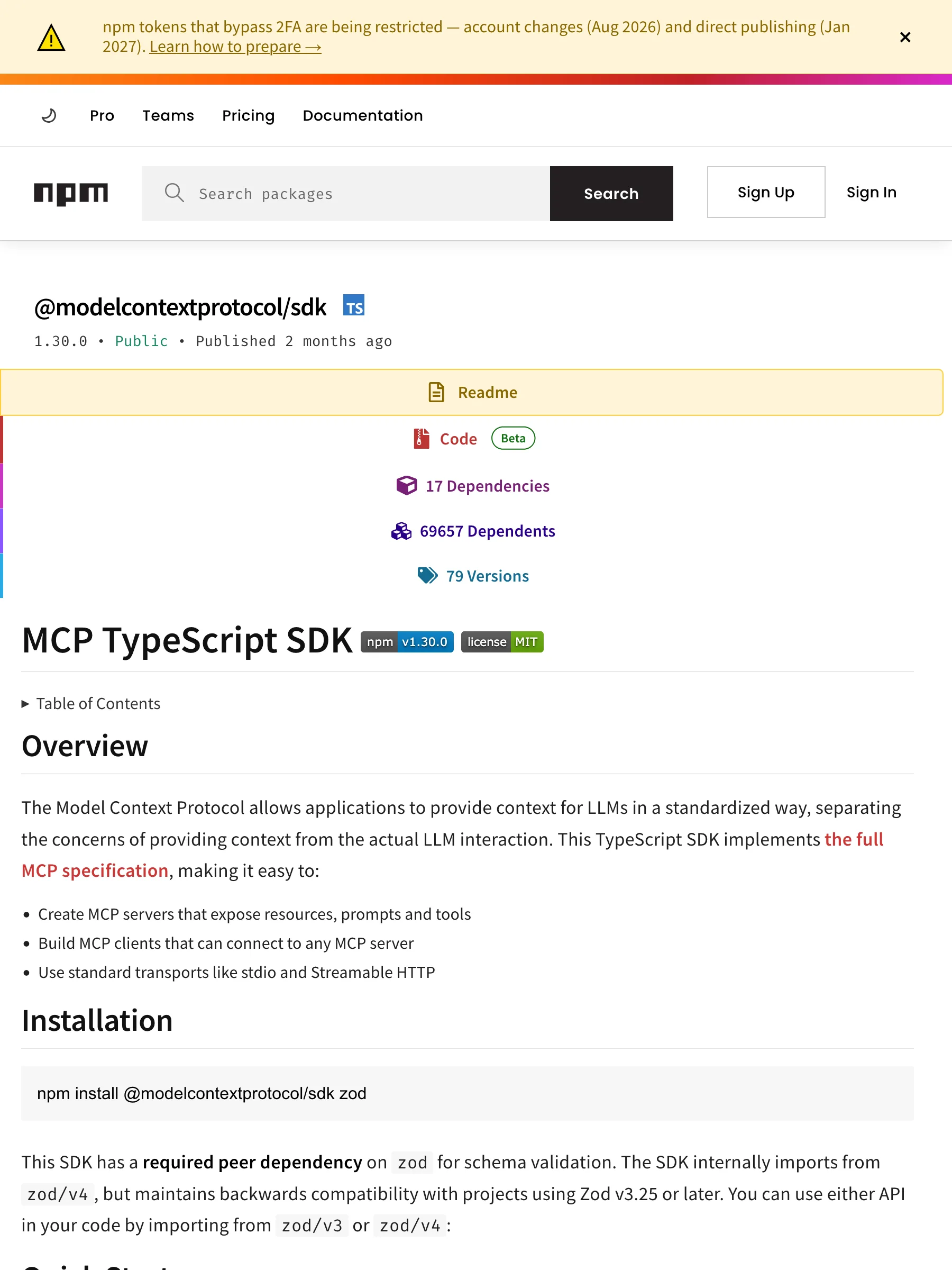
122 KB 渲染 HTML——同样的布局,包名带 scope
API 返回的数据
markdown# @modelcontextprotocol/sdk@1.30.0Model Context Protocol implementation for TypeScriptLicense: MIT · Weekly downloads: 41,124,660 · Homepage: https://modelcontextprotocol.io · Repository: https://github.com/modelcontextprotocol/typescript-sdk · Author: Anthropic, PBC```npm install @modelcontextprotocol/sdk```## Dependencies (17)- ajv@^8.17.1- zod@^3.25 || ^4.0- cors@^2.8.5- hono@^4.11.4- jose@^6.1.3- express@^5.2.1- raw-body@^3.0.0- ajv-formats@^3.0.1- cross-spawn@^7.0.5- eventsource@^3.0.2- content-type@^1.0.5- pkce-challenge@^5.0.0- @hono/node-server@^1.19.9 || ^2.0.5- json-schema-typed@^8.0.2- eventsource-parser@^3.0.0- express-rate-limit@^8.2.1- zod-to-json-schema@^3.25.1## README# MCP TypeScript SDK<details><summary>Table of Contents</summary>- Overview- Installation- Quick Start- Core Concepts- Examples- Documentation- Contributing- License</details>## OverviewThe Model Context Protocol allows applications to provide context for LLMs in a standardized way, separating the concerns of providing context from the actual LLM interaction. This TypeScript SDK implements[the full MCP specification](https://modelcontextprotocol.io/specification/draft), making it easy to:- Create MCP servers that expose resources, prompts and tools- Build MCP clients that can connect to any MCP server- Use standard transports like stdio and Streamable HTTP## Installation```bashnpm install @modelcontextprotocol/sdk zod```This SDK has a **required peer dependency** on `zod` for schema validation. The SDK internally imports from `zod/v4`, but maintains backwards compatibility with projects using Zod v3.25 or later. You can use either API in your code by importing from `zod/v3` or `zod/v4`:## Quick StartTo see the SDK in action end-to-end, start from the runnable examples in `src/examples`:1. **Install dependencies** (from the SDK repo root):```bashnpm install```2. **Run the example Streamable HTTP server**:```bashnpx tsx src/examples/server/simpleStreamableHttp.ts```3. **Run the interactive client in another terminal**:```bashnpx tsx src/examples/client/simpleStreamableHttp.ts```This pair of examples demonstrates tools, resources, prompts, sampling, elicitation, tasks and logging. For a guided walkthrough and variations (stateless servers, JSON-only responses, SSE compatibility, OAuth, etc.), see [docs/server.md](docs/server.md) and[docs/client.md](docs/client.md).## Core Concepts### Servers and transportsAn MCP server is typically created with `McpServer` and connected to a transport such as Streamable HTTP or stdio. The SDK supports:- **Streamable HTTP** for remote servers (recommended).- **HTTP + SSE** for backwards compatibility only.- **stdio** for local, process-spawned integrations.Runnable server examples live under `src/examples/server` and are documented in [docs/server.md](docs/server.md).### Tools, resources, prompts- **Tools** let LLMs ask your server to take actions (computation, side effects, network calls).- **Resources** expose read-only data that clients can surface to users or models.- **Prompts** are reusable templates that help users talk to models in a consistent way.The detailed APIs, including `ResourceTemplate`, completions, and display-name metadata, are covered in [docs/server.md](docs/server.md#tools-resources-and-prompts), with runnable implementations in [`simpleStreamableHttp.ts`](src/examples/server/simpleStreamableHttp.ts).### Capabilities: sampling, elicitation, and tasksThe SDK includes higher-level capabilities for richer workflows:- **Sampling**: server-side tools can ask connected clients to run LLM completions.- **Form elicitation**: tools can request non-sensitive input via structured forms.- **URL elicitation**: servers can ask users to complete secure flows in a browser (e.g., API key entry, payments, OAuth).- **Tasks (experimental)**: long-running tool calls can be turned into tasks that you poll or resume later.Conceptual overviews and links to runnable examples are in:- [docs/capabilities.md](docs/capabilities.md)Key example servers include:- [`toolWithSampleServer.ts`](src/examples/server/toolWithSampleServer.ts)- [`elicitationFormExample.ts`](src/examples/server/elicitationFormExample.ts)- [`elicitationUrlExample.ts`](src/examples/server/elicitationUrlExample.ts)### ClientsThe high-level `Client` class connects to MCP servers over different transports and exposes helpers like `listTools`, `callTool`, `listResources`, `readResource`, `listPrompts`, and `getPrompt`.Runnable clients live under `src/examples/client` and are described in [docs/client.md](docs/client.md), including:- Interactive Streamable HTTP client ([`simpleStreamableHttp.ts`](src/examples/client/simpleStreamableHttp.ts))- Streamable HTTP client with SSE fallback ([`streamableHttpWithSseFallbackClient.ts`](src/examples/client/streamableHttpWithSseFallbackClient.ts))- OAuth-enabled clients and polling/parallel examples### Node.js Web Crypto (globalThis.crypto) compatibilitySome parts of the SDK (for example, JWT-based client authentication in `auth-extensions.ts` via `jose`) rely on the Web Crypto API exposed as `globalThis.crypto`.See [docs/faq.md](docs/faq.md) for details on supported Node.js versions and how to polyfill `globalThis.crypto` when running on older Node.js runtimes.## ExamplesThe SDK ships runnable examples under `src/examples`. Use these tables to find the scenario you care about and jump straight to the corresponding code and docs.### Server examples| Scenario | Description | Example file(s) | Related docs || --------------------------------------------------- | ------------------------------------------------------------------------------------------------- | -------------------------------------------------------------------------------------------------------- | ------------------------------------------------------------------------ || Streamable HTTP server (stateful) | Feature-rich server with tools, resources, prompts, logging, tasks, sampling, and optional OAuth. | [`simpleStreamableHttp.ts`](src/examples/server/simpleStreamableHttp.ts) | [`server.md`](docs/server.md), [`capabilities.md`](docs/capabilities.md) || Streamable HTTP server (stateless) | No session tracking; good for simple API-style servers. | [`simpleStatelessStreamableHttp.ts`](src/examples/server/simpleStatelessStreamableHttp.ts) | [`server.md`](docs/server.md) || JSON response mode (no SSE) | Streamable HTTP with JSON responses only and limited notifications. | [`jsonResponseStreamableHttp.ts`](src/examples/server/jsonResponseStreamableHttp.ts) | [`server.md`](docs/server.md) || Server notifications over Streamable HTTP | Demonstrates server-initiated notifications using SSE with Streamable HTTP. | [`standaloneSseWithGetStreamableHttp.ts`](src/examples/server/standaloneSseWithGetStreamableHttp.ts) | [`server.md`](docs/server.md) || Deprecated HTTP+SSE server | Legacy HTTP+SSE transport for backwards-compatibility testing. | [`simpleSseServer.ts`](src/examples/server/simpleSseServer.ts) | [`server.md`](docs/server.md) || Backwards-compatible server (Streamable HTTP + SSE) | Single server that supports both Streamable HTTP and legacy SSE clients. | [`sseAndStreamableHttpCompatibleServer.ts`](src/examples/server/sseAndStreamableHttpCompatibleServer.ts) | [`server.md`](docs/server.md) || Form elicitation server | Uses form elicitation to collect non-sensitive user input. | [`elicitationFormExample.ts`](src/examples/server/elicitationFormExample.ts) | [`capabilities.md`](docs/capabilities.md#elicitation) || URL elicitation server | Demonstrates URL-mode elicitation in an OAuth-protected server. | [`elicitationUrlExample.ts`](src/examples/server/elicitationUrlExample.ts) | [`capabilities.md`](docs/capabilities.md#elicitation) || Sampling and tasks server | Combines tools, logging, sampling, and experimental task-based execution. | [`toolWithSampleServer.ts`](src/examples/server/toolWithSampleServer.ts) | [`capabilities.md`](docs/capabilities.md) || OAuth demo authorization server | In-memory OAuth provider used with the example servers. | [`demoInMemoryOAuthProvider.ts`](src/examples/server/demoInMemoryOAuthProvider.ts) | [`server.md`](docs/server.md) |### Client examples| Scenario | Description | Example file(s) | Related docs || --------------------------------------------------- | ---------------------------------------------------------------------------------- | -------------------------------------------------------------------------------------------------------------------------------------------------------------------------------------------------------------------------------------- | ------------------------------------------------------------ || Interactive Streamable HTTP client | CLI client that exercises tools, resources, prompts, elicitation, and tasks. | [`simpleStreamableHttp.ts`](src/examples/client/simpleStreamableHttp.ts) | [`client.md`](docs/client.md) || Backwards-compatible client (Streamable HTTP → SSE) | Tries Streamable HTTP first, then falls back to SSE on 4xx responses. | [`streamableHttpWithSseFallbackClient.ts`](src/examples/client/streamableHttpWithSseFallbackClient.ts) | [`client.md`](docs/client.md), [`server.md`](docs/server.md) || SSE polling client | Polls a legacy SSE server and demonstrates notification handling. | [`ssePollingClient.ts`](src/examples/client/ssePollingClient.ts) | [`client.md`](docs/client.md) || Parallel tool calls client | Shows how to run multiple tool calls in parallel. | [`parallelToolCallsClient.ts`](src/examples/client/parallelToolCallsClient.ts) | [`client.md`](docs/client.md) || Multiple clients in parallel | Demonstrates connecting multiple clients concurrently to the same server. | [`multipleClientsParallel.ts`](src/examples/client/multipleClientsParallel.ts) | [`client.md`](docs/client.md) || OAuth clients | Examples of client_credentials (basic and private_key_jwt) and reusable providers. | [`simpleOAuthClient.ts`](src/examples/client/simpleOAuthClient.ts), [`simpleOAuthClientProvider.ts`](src/examples/client/simpleOAuthClientProvider.ts), [`simpleClientCredentials.ts`](src/examples/client/simpleClientCredentials.ts) | [`client.md`](docs/client.md) || URL elicitation client | Works with the URL elicitation server to drive secure browser flows. | [`elicitationUrlExample.ts`](src/examples/client/elicitationUrlExample.ts) | [`capabilities.md`](docs/capabilities.md#elicitation) |Shared utilities:- In-memory event store for resumability: [`inMemoryEventStore.ts`](src/examples/shared/inMemoryEventStore.ts) (see [`server.md`](docs/server.md)).For more details on how to run these examples (including recommended commands and deployment diagrams), see `src/examples/README.md`.## Documentation- Local SDK docs:- [docs/server.md](docs/server.md) – building and running MCP servers, transports, tools/resources/prompts, CORS, DNS rebinding, and multi-node deployment.- [docs/client.md](docs/client.md) – using the high-level client, transports, backwards compatibility, and OAuth helpers.- [docs/capabilities.md](docs/capabilities.md) – sampling, elicitation (form and URL), and experimental task-based execution.- [docs/protocol.md](docs/protocol.md) – protocol features: ping, progress, cancellation, pagination, capability negotiation, and JSON Schema.- [docs/faq.md](docs/faq.md) – environment and troubleshooting FAQs (including Node.js Web Crypto support).- External references:- [V1 API reference](https://modelcontextprotocol.github.io/typescript-sdk/)- [V2 API reference](https://modelcontextprotocol.github.io/typescript-sdk/v2/)- [Model Context Protocol documentation](https://modelcontextprotocol.io)- [MCP Specification](https://spec.modelcontextprotocol.io)- [Example Servers](https://github.com/modelcontextprotocol/servers)## ContributingIssues and pull requests are welcome on GitHub at <https://github.com/modelcontextprotocol/typescript-sdk>.## LicenseThis project is licensed under the MIT License—see the [LICENSE](LICENSE) file for details.
作用域包 — 15 KB · @modelcontextprotocol/sdk@1.30.0 · 周下载 41.1M
npmjs.com/package/react/v/18.3.1npm 实际返回的页面
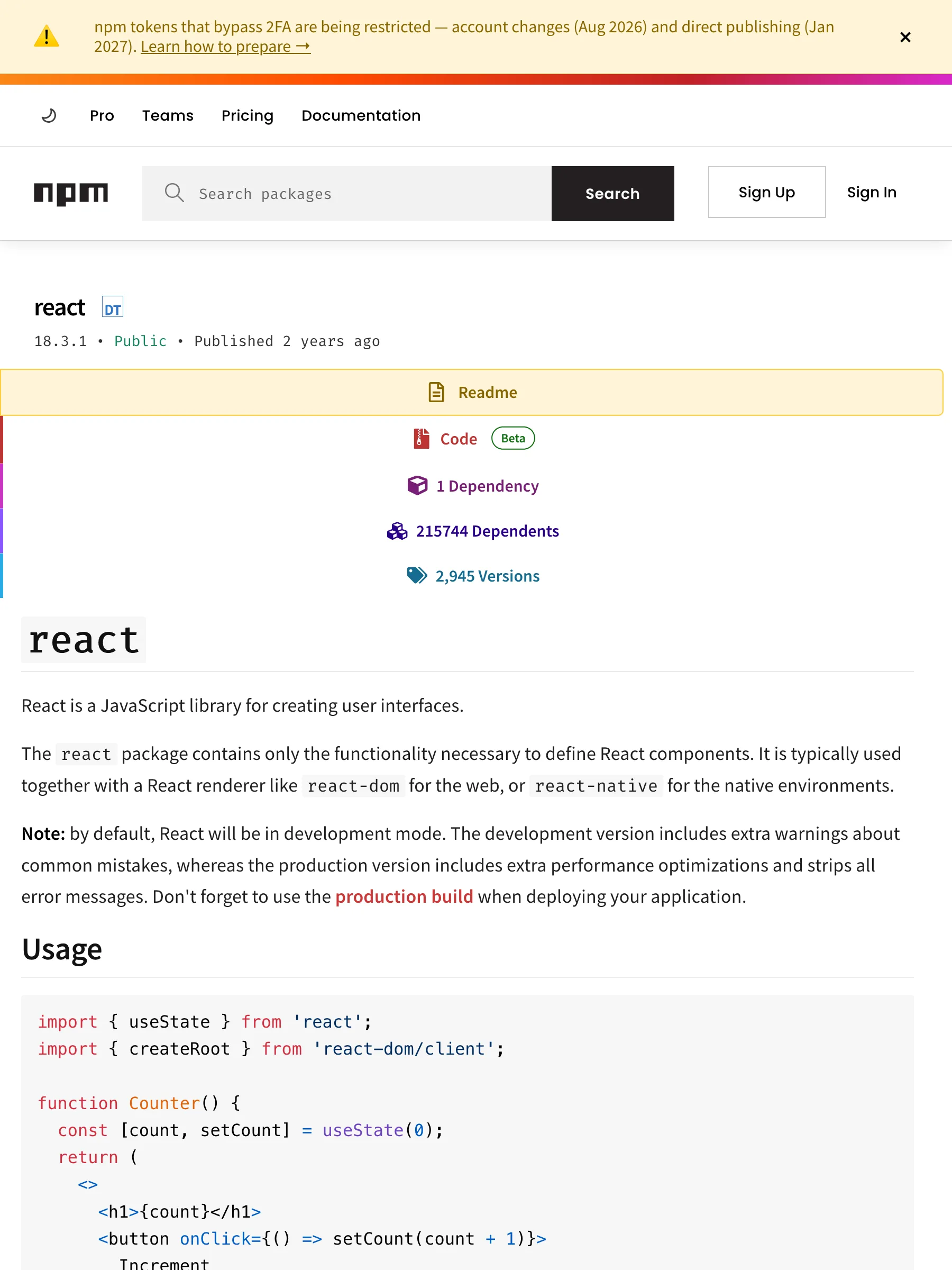
485 KB 渲染 HTML——版本固定的包视图
API 返回的数据
markdown# react@18.3.1React is a JavaScript library for building user interfaces.License: MIT · Weekly downloads: 128,119,130 · Homepage: https://reactjs.org/ · Repository: https://github.com/facebook/react```npm install react@18.3.1```## Dependencies (1)- loose-envify@^1.1.0## README# `react`React is a JavaScript library for creating user interfaces.The `react` package contains only the functionality necessary to define React components. It is typically used together with a React renderer like `react-dom` for the web, or `react-native` for the native environments.**Note:** by default, React will be in development mode. The development version includes extra warnings about common mistakes, whereas the production version includes extra performance optimizations and strips all error messages. Don't forget to use the [production build](https://reactjs.org/docs/optimizing-performance.html#use-the-production-build) when deploying your application.## Usage```jsimport { useState } from 'react';import { createRoot } from 'react-dom/client';function Counter() {const [count, setCount] = useState(0);return (<><h1>{count}</h1><button onClick={() => setCount(count + 1)}>Increment</button></>);}const root = createRoot(document.getElementById('root'));root.render(<App />);```## DocumentationSee https://reactjs.org/## APISee https://reactjs.org/docs/react-api.html
确切版本 — 1.5 KB · react@18.3.1 · 固定依赖 spec,不是 latest
按 URL 形态的覆盖情况
npm 支持按 URL 形态实测,不按域名笼统宣称。表中每一行都在线上爬虫上验证过。
| URL 形态 | 状态 | 返回内容 |
|---|---|---|
/package/<name> | 支持 | 最新版本——README 转 Markdown,版本、License、周下载量、依赖列表齐全。 |
/package/@<scope>/<name> | 支持 | 作用域包同样解析——results.metadata.package 保留 @scope/name。 |
/package/<name>/v/<version> | 支持 | 版本固定返回那个确切版本——它的 README 和依赖 spec,适合审计和 diff。 |
不碰 Cloudflare 墙拿包页面
npmjs.com 的包页面在 Cloudflare 挑战后面——素 fetch 拿到的是墙,不是 readme。把包 URL 发给 Crawl 接口,请求会被路由到读取 registry.npmjs.org 的专用适配器——即 npm CLI 自己用的公开 API。README 以 Markdown 返回,版本、License、周下载量、依赖列表进结构化 metadata。
走注册表 API,不碰墙
适配器读 registry.npmjs.org——npm CLI 信任的同一个端点,不去硬闯网站的 Cloudflare 挑战。
README 加安装行
Markdown 开头是包卡片——name@version、License、周下载量——下面接 README 全文。
依赖成列表
依赖 spec 渲染成干净的列表——固定版本保持固定,range 保持 range。
按 URL 形态实测
矩阵每行都是真实 URL 的实测复现——按形态实测,不按域名笼统宣称。
什么是 npm 抓取 API?
npm 抓取 API 是一个 HTTP 接口:给它一个 npm 包 URL,返回结构化、可直接喂给模型的包页面。网页是 Cloudflare 后面的 React 应用,实质内容是注册表记录——README、版本、License、下载量、依赖。Search1API 的 Crawl 接口直接读 registry.npmjs.org,普通包、作用域包、版本固定 URL 都能拿回 Markdown 卡片,完全不碰被挑战的前端。
典型流程
把 npm 包 URL 发给 Crawl 接口,拿回结构化 Markdown——README 加版本、License、周下载量和完整依赖列表。含作用域包和版本固定 URL。
把 npm 包 URL POST 给 Crawl 接口——无需账号。
URL 匹配规则后路由到 npm 适配器。
适配器读 registry.npmjs.org——纯 HTTP,无挑战。
包返回 Markdown + results.metadata——version、license、weeklyDownloads、dependencyCount。
典型用法
采用前审查依赖——README、License、下载量一次拿到。
追踪包的发布——版本固定 URL 返回可做 diff 的特定版本。
做包发现——有无 scope 都解析成同一个卡片结构。
审计供应链——依赖列表是结构化文本,不是页面刮取。
常见问题
需要 npm 账号吗?
不需要。适配器读公开的 registry.npmjs.org API——和 npm CLI 拉取的数据相同。读取路径里没有任何 token 或会话。
支持哪些 npm URL?
包页面(/package/<name>)、作用域包(/package/@scope/name)、版本固定(/package/name/v/version)。搜索和列表页不在专用路径上。
私有包能抓吗?
不能——私有包不在公开注册表里,返回 not-found。适配器只读 npm 公开提供的内容。
为什么不直接抓 npmjs.com?
网站在 Cloudflare 后面——素 fetch 拿到的是挑战页。注册表 API 是同样的数据,干净的 JSON,而且是 npm CLI 自己用的接口。
返回哪些 metadata?
platform、package(含 scope)、version、license、weeklyDownloads、dependencyCount、readmeSource——不读 README 也能给包排序和过滤。
抓 npm 合法吗?
我们只获取 npm 通过公开注册表 API 匿名提供的内容——无登录、无会话共享、不绕过访问控制。具体用途是否合法、是否符合 npm 条款取决于你的辖区和场景,请与法务确认。